Dynasty Central
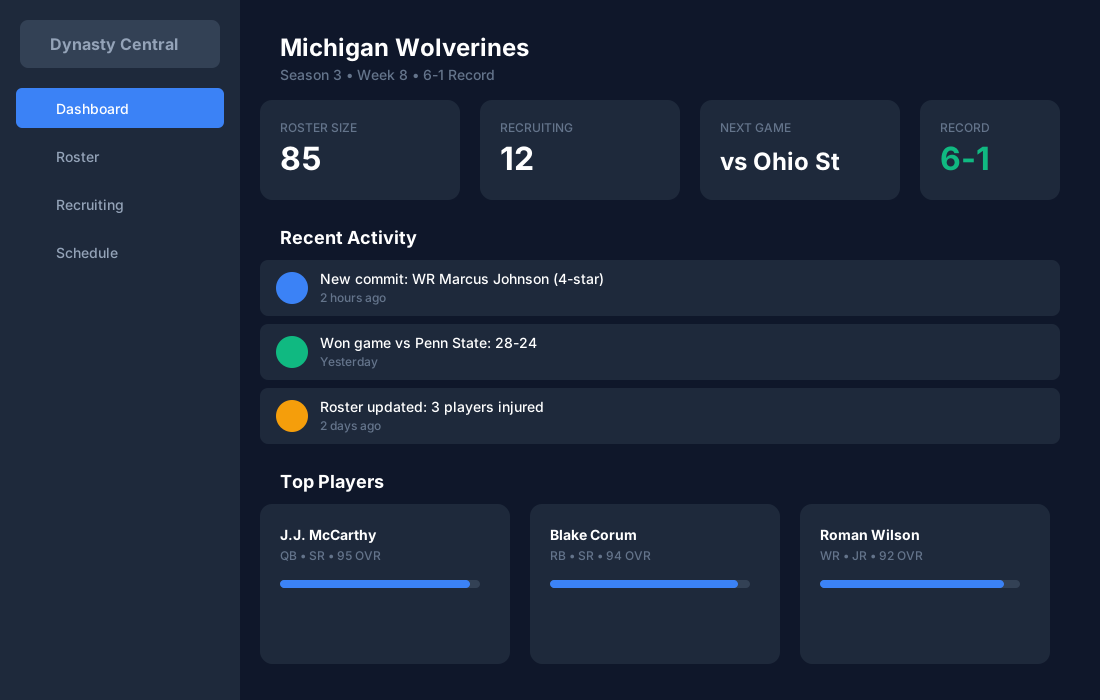
Import your dynasty in minutes from screenshots—then keep roster, recruiting, and schedule in one place. Built for mobile. Dark-mode-first by default.
Fast setup
Upload screenshots, review what we extracted, and you're live.
Built for mobile
Tap-friendly navigation and a dark-mode-first UI you'll actually enjoy using.
Stay organized
Roster, recruiting, and schedule views in a consistent workflow.
The workflow (designed for dynasty grinders)
Do a quick import once, then keep the day-to-day stuff lightweight.
- 1
Upload screenshots
Drop roster/recruiting/schedule screenshots right from your phone.
- 2
Review & correct
Fix edge cases quickly so your data is trustworthy.
- 3
Run your week
See everything in one place—no spreadsheets, no re-typing.
Everything you need
Track rosters, manage recruiting, and plan your season — all in one place.
Roster Tracking
Keep your entire roster organized with depth charts, player attributes, and development progress. Know exactly who's on your team at all times.
Recruiting Board
Never miss a recruit. Track targets by position, star rating, and commitment status. Build your pipeline for future seasons.
Season Schedule
Plan your season with a clear view of upcoming games. Track results, monitor your record, and prepare for each opponent.
Trophy Case
Celebrate your wins. Track championships, conference titles, and player awards across your dynasty history.
Screenshot Import
Skip the typing. Upload screenshots from the game and we'll extract roster, recruiting, and schedule data for you to review and confirm.
Try the import flow today
Start free and see if the workflow fits your dynasty. You can upgrade when you want higher-quality imports and power tools.